Workspace layout
At the top of the Blender interface, you will see a tab called Connec2 XR Toolkit. Click it to open the XR Toolkit workspace.
Workspace overview
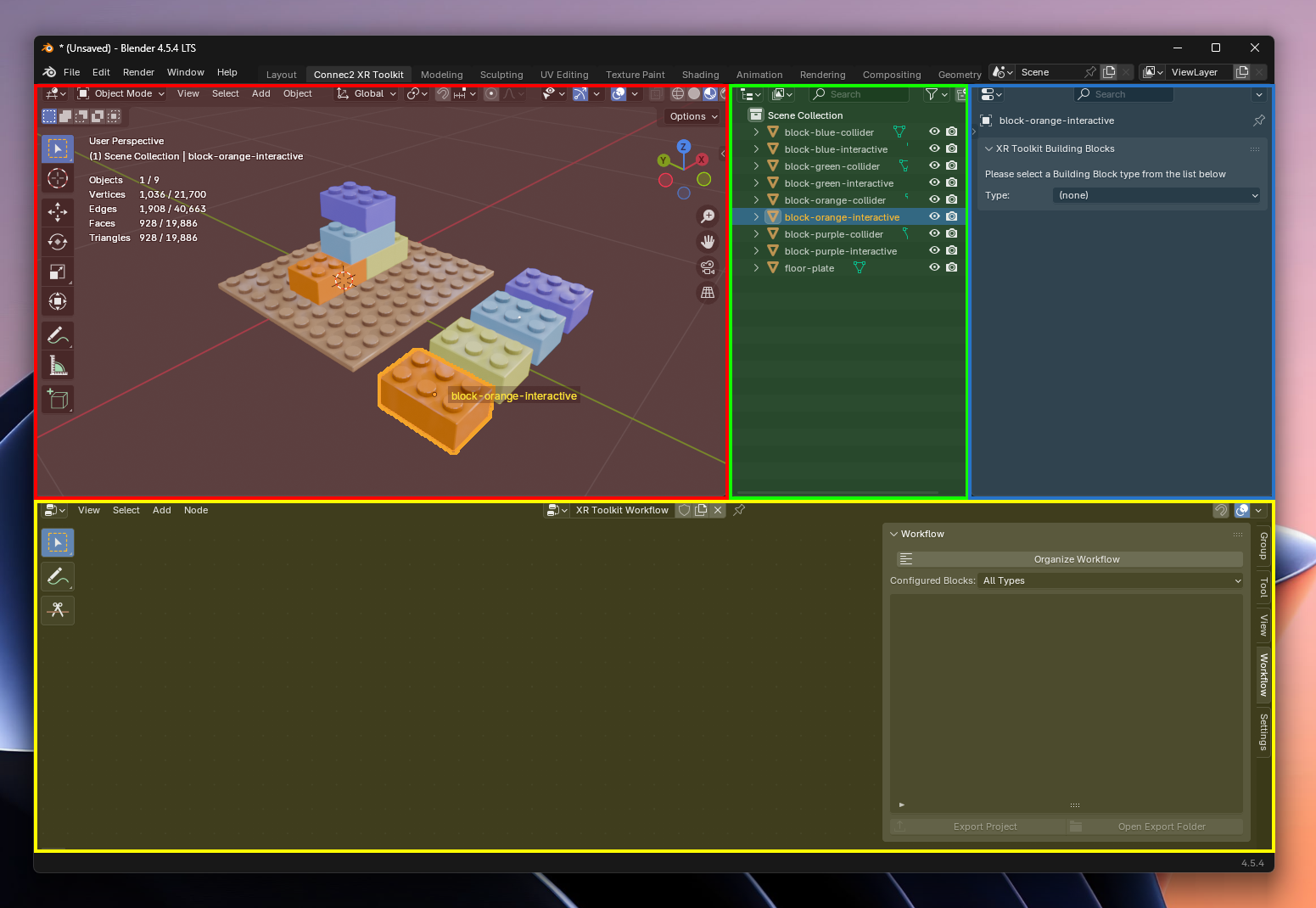
The workspace consists of four parts:
- → your 3D model is visible here3D View
- → overview of all selectable objectsOutliner
- → add building blocks to an objectBuilding Blocks
- → define what happens and in what orderWorkflow
How it works together
Your workflow will usually look like this:
- Select an object from theor3D ViewOutliner
- Add aBuilding Block
- Build the logic in theWorkflow
- See the result in your model
You now know where to find everything. In the next step, you’ll start using it right away.
Last updated on