Installation
The XR Toolkit can be used in Blender via the Extensions system and is only available on Windows.
Follow the steps below to install the XR Toolkit.
Install Blender
For the best stability, install the Blender LTS version.
Add repository
First, add the Connec2 repository so the extension becomes visible in Blender.
- In Blender’s top bar go to
Edit→Preferences - In the list on the left choose
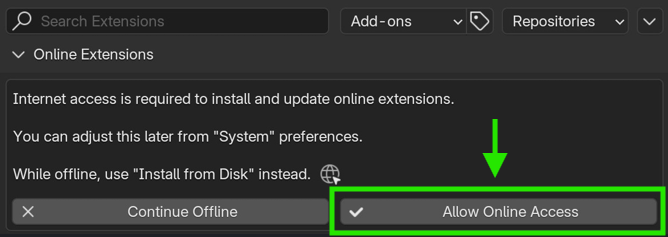
Get Extensions - In some cases the following notification is shown, choose
Allow Online Access
In the top right go to
Repositories ▼Click on the
+icon →Add Remote RepositoryEnter the following URL:
https://connec2.app/api/v1/repository/blender/extensions- Enable
Check for Updates on Start...and clickCreate.
Install extension
Search for Connec2 XR Toolkit in the list and click Install.
After installation, the Connec2 XR Toolkit tab will appear in your workspace.
The XR Toolkit is now installed and ready to use.
Last updated on